A calm, fast, Arabic-first app for the router your ISP shipped you. 22+ household models supported — no accounts, no cloud, no ads.
Ugly tables. Half-translated Chinese menus. Cryptic acronyms. Buttons that lie. To change your WiFi password you have to navigate four screens — and pray.
8 essentials in plain words: change WiFi password, see devices, parental, speed, restart. Advanced settings are one switch away — never in the way.
RTL designed in, not bolted on. Cairo font. Every number, icon, and chevron mirrors correctly. No "Apply" buttons sitting on the wrong side.
No cloud relay. No analytics. No account. The app talks directly to your router over your Wi-Fi. Nothing leaves your device.
One field, one button. QR code to share with guests in 2 seconds.
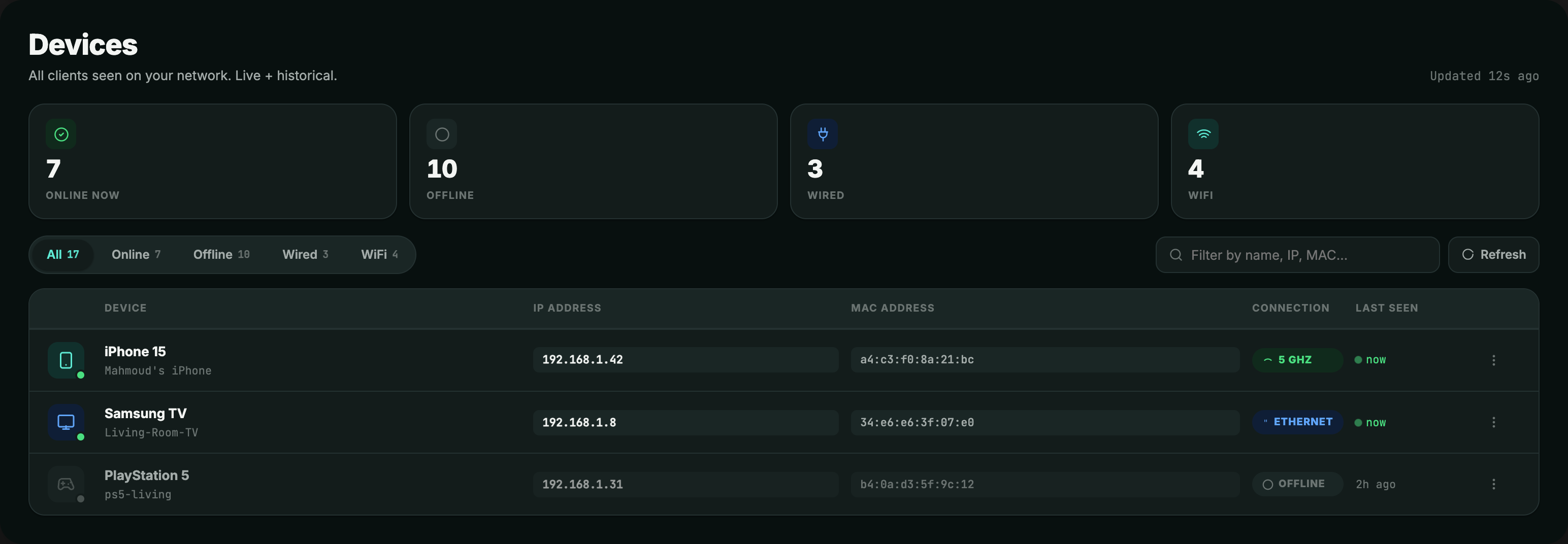
Live list with vendor + nickname. Block any device with one tap.
Schedule when each device gets online by MAC. Time windows, per day.
Real download/upload vs your DSL sync rate. Spot bottlenecks.
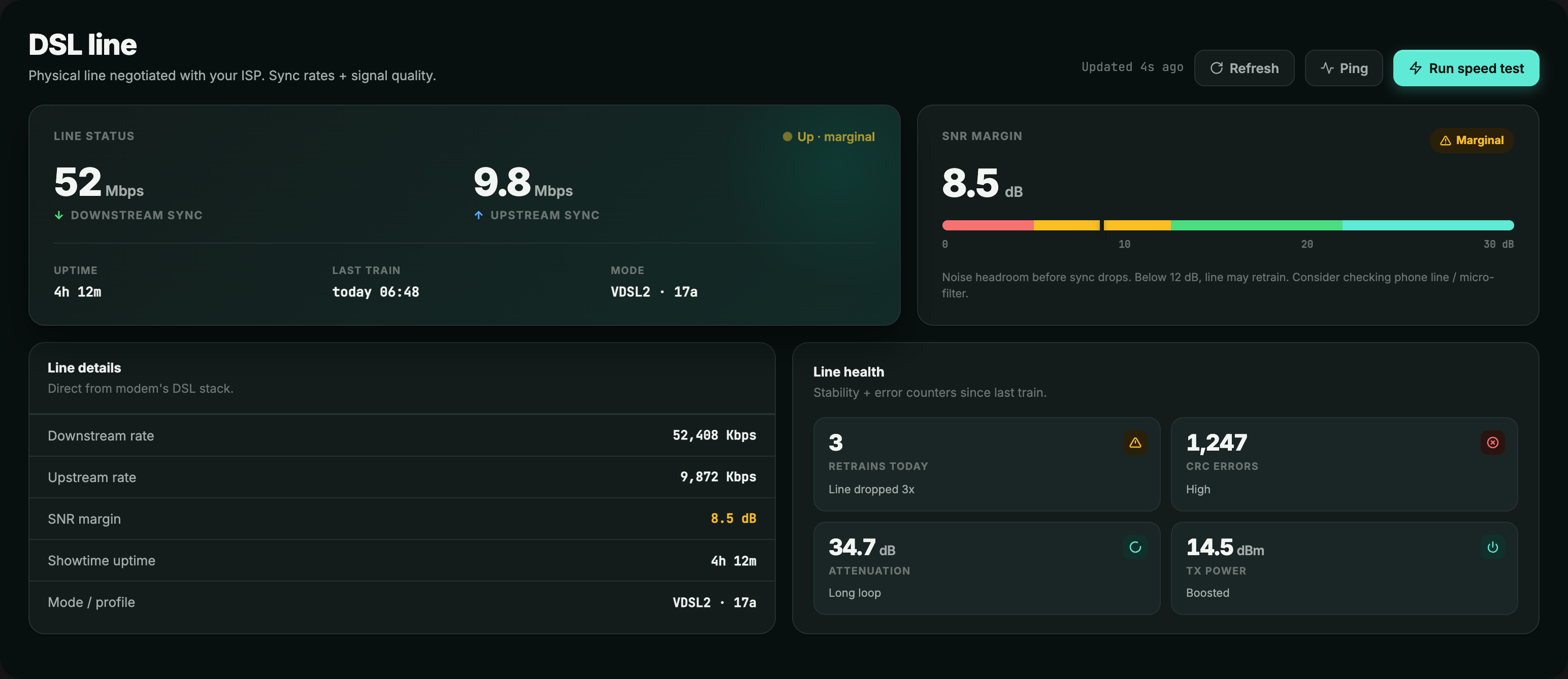
SNR, attenuation, sync rate. Read the exact numbers ISP support actually asks for.
DNS, port forwarding, DMZ, MAC filter, DHCP — one toggle reveals the lot.
Track Wi-Fi consumption by hour, day, month. Per-app on Android. Local — nothing leaves your device.
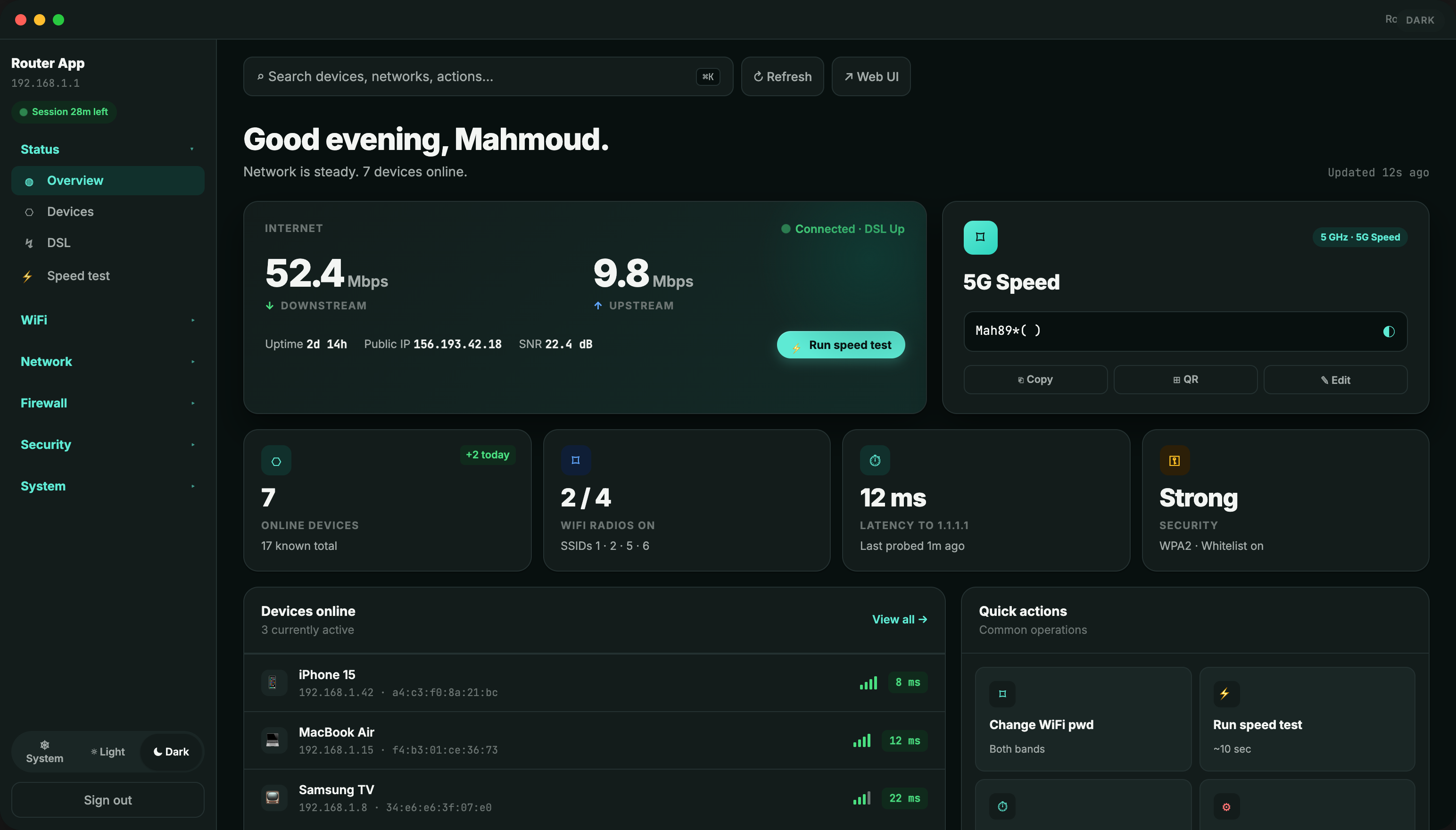
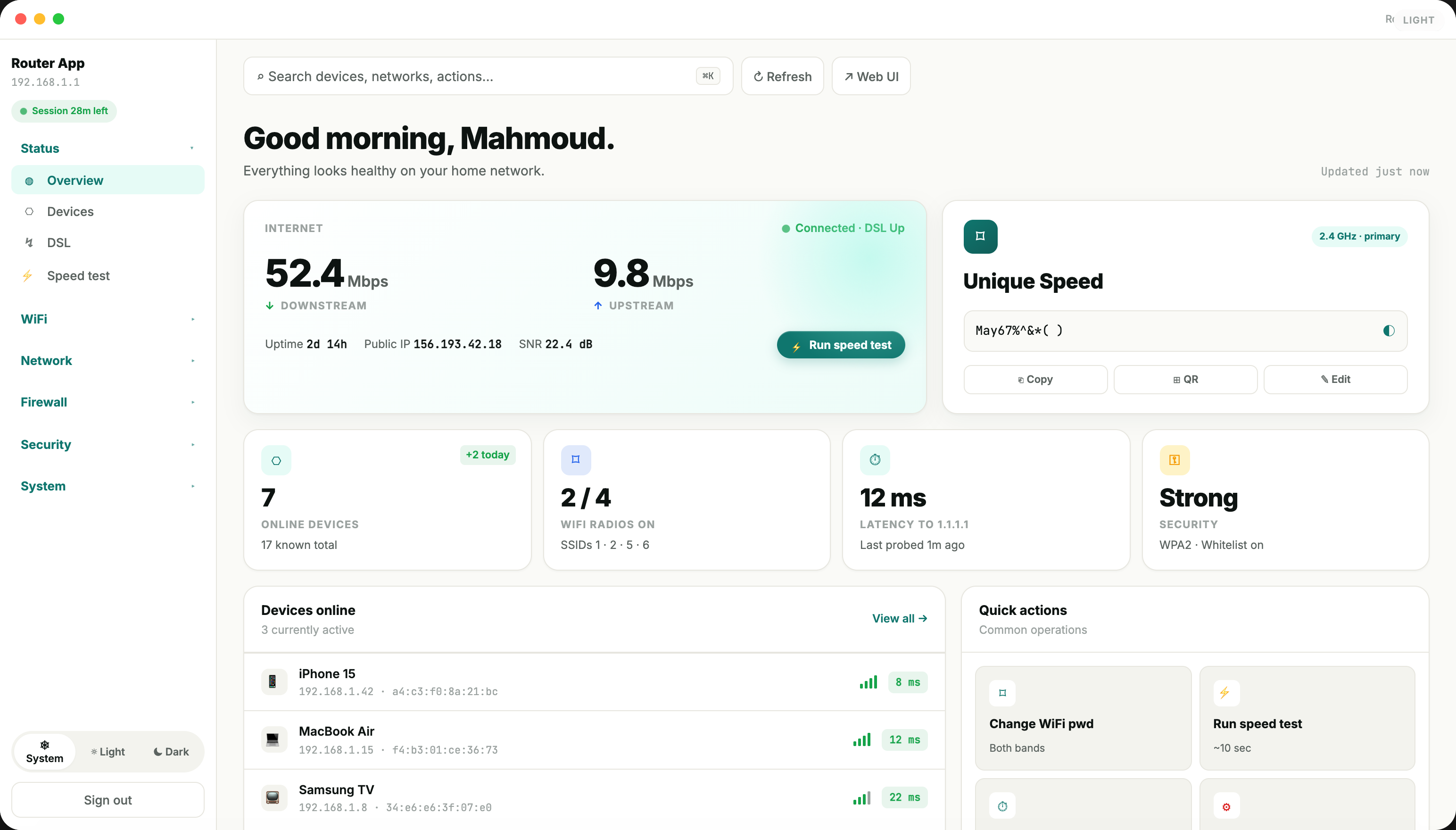
Every screen pictured below is captured from the live app — no marketing renders.

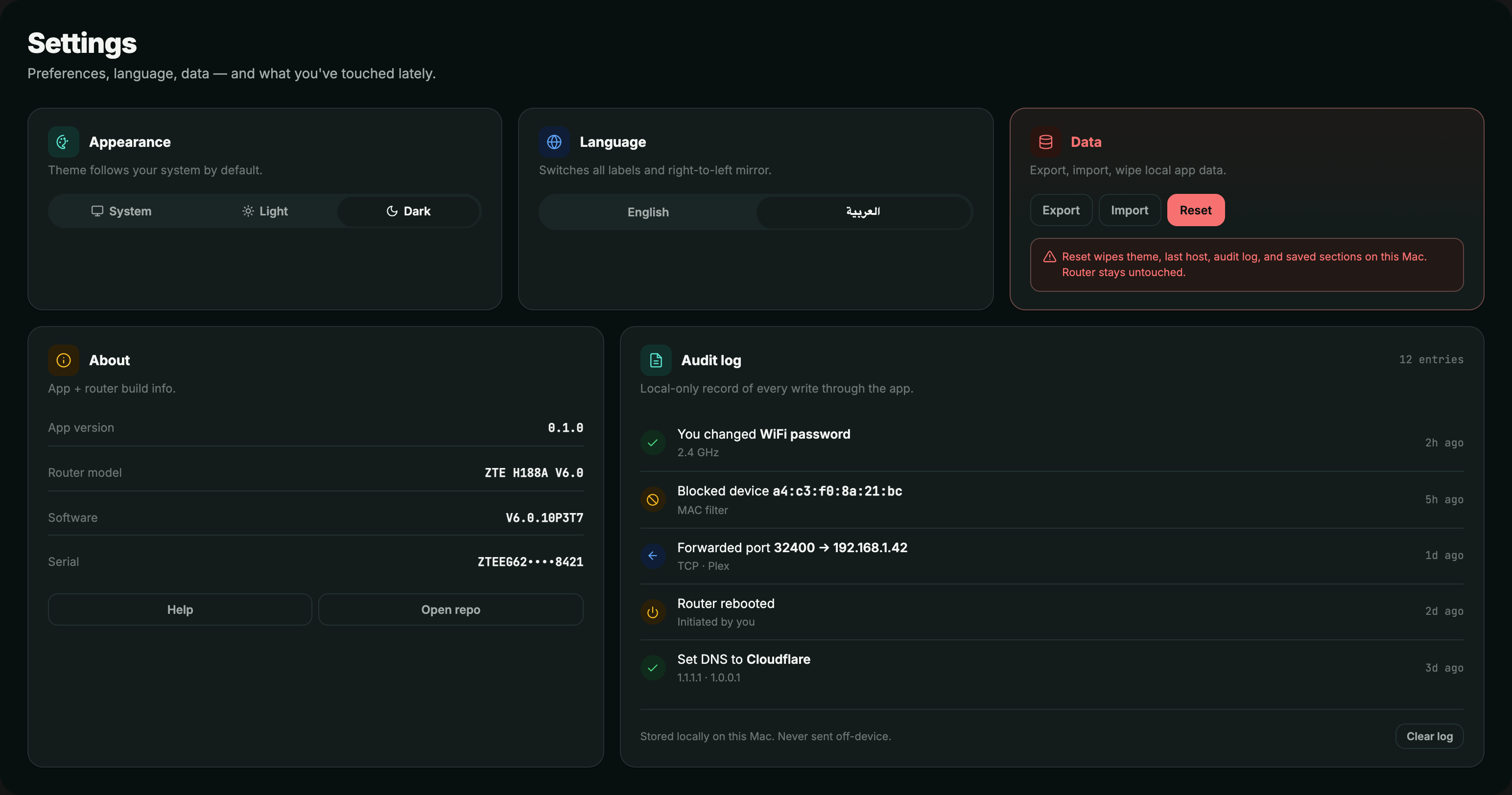
Android and iOS share the same engine and the same UI as the desktop. Block a device from the couch. Change the Wi-Fi from bed. Check who's online over breakfast.
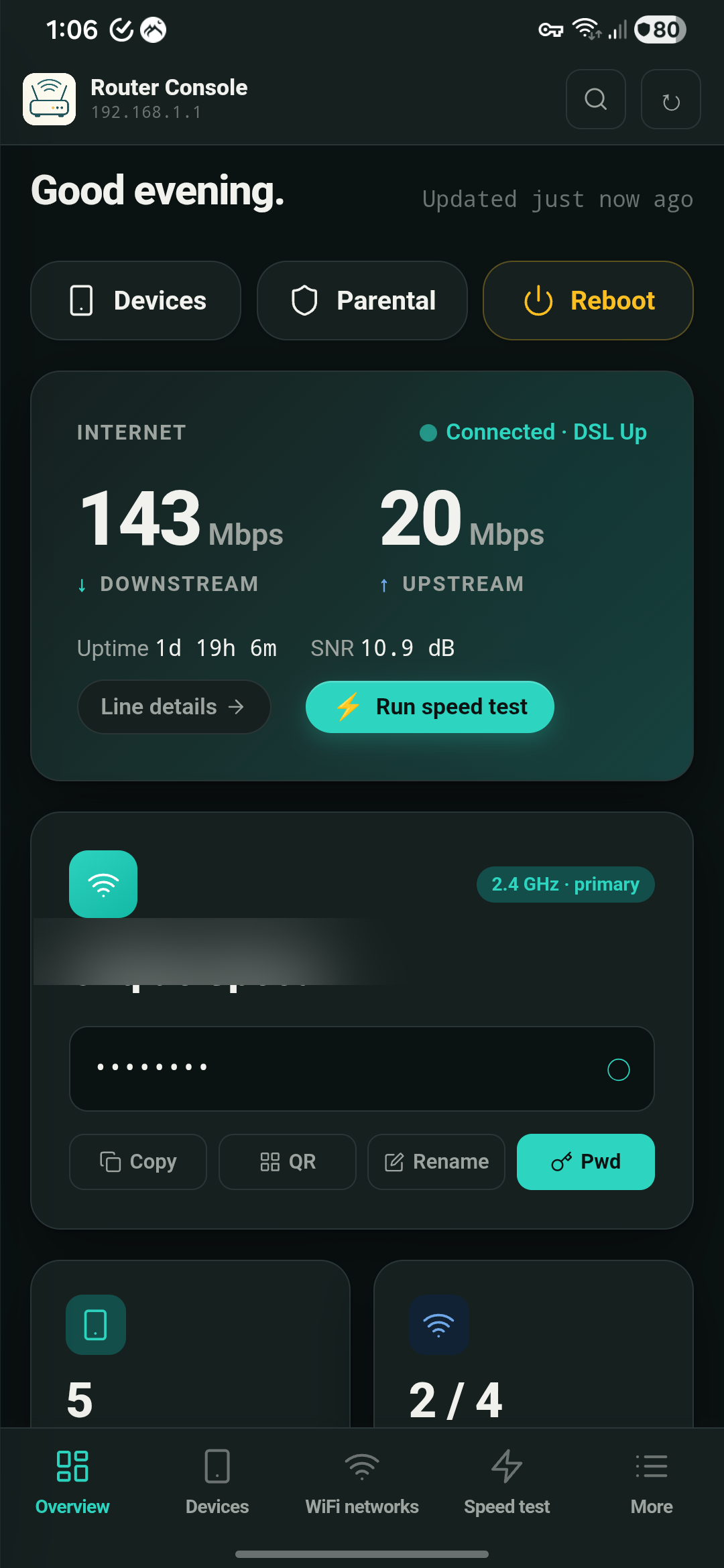
Speed, devices, line health — at a glance.
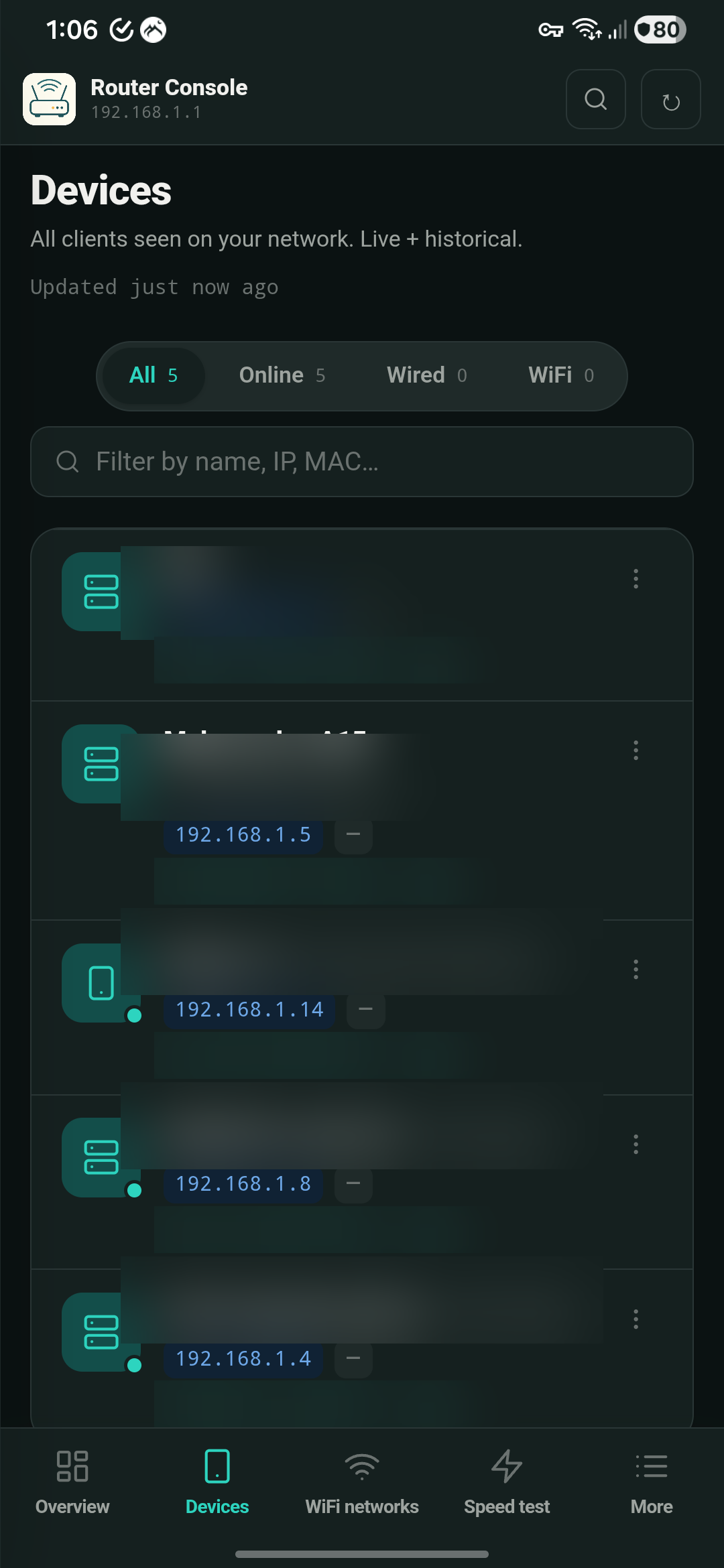
Block anything that doesn't belong in one tap.
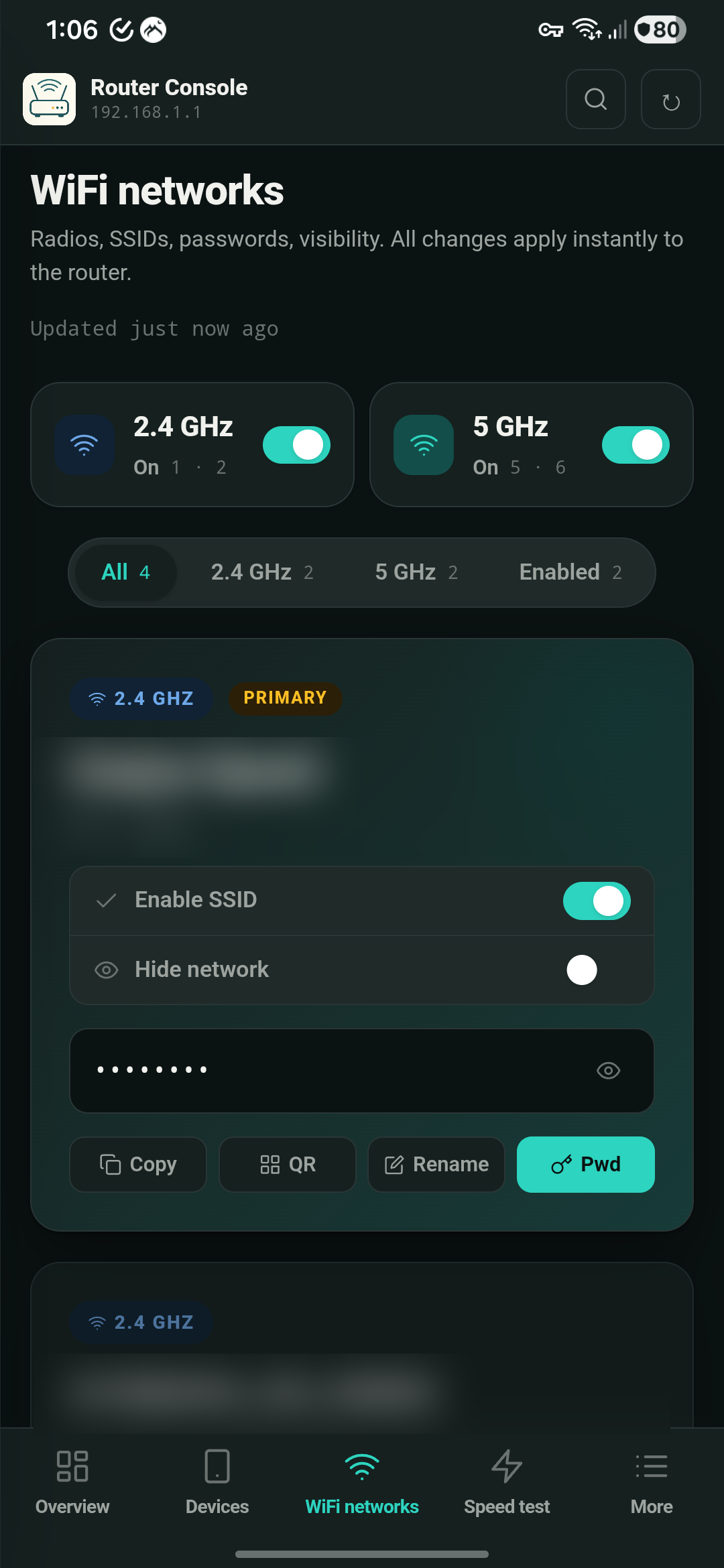
Change password, share QR — done in seconds.
Most apps slap pure black on white and call it a theme. We tuned both ends — warm cream paper that won't burn your eyes at noon, and deep teal-tinted dark that stays soft past midnight. Auto-follows your system; one tap to lock.
Type your model below. If it's there — green light. If not, one click sends us a request to add it.
22+ models supported · more added every release.
Desktop and Android are out. iOS is next.
No relay servers. No analytics. No "anonymized usage data." The app opens, finds your router on your Wi-Fi, and talks to it directly — full stop.
We don't track which features you use, when, or for how long.
Nothing to sign up for. Your router admin password stays in your OS keychain.
Direct HTTPS to your router. Works without Internet. Your settings never traverse our servers — because there are none.

R&D Cyber Security Engineer · Software Engineer · Egypt
The router's own admin page asks for the same password. We use it the same way — to read settings and apply changes. It's stored only in your device's secure keychain, never sent anywhere except your router.
No — and by design. The app needs to be on the same Wi-Fi as your router. No remote/cloud access means we have nothing to compromise.
Email us with the brand, model number, and a screenshot of your admin page's login screen. We add 2–3 new models per release.
Once. Stored in your operating system's secure keychain (macOS Keychain, Android Keystore). Never sent anywhere besides your router.
Everything the router page does, faster and in plain words. Plus things the router page hides: line health badges, device nicknames that survive reboots, instant WiFi QR share, and a search you can type into instead of clicking through five menus.